3D modelling in your browser, with a real building engine underneath.
Plannr is a free, open-source SketchUp-style modeller: draw, push/pull and paint like you're used to, then switch on plugins that turn rooms into brick cavity walls, timber roofs and electrical layouts. An MCP endpoint lets an AI model alongside you.
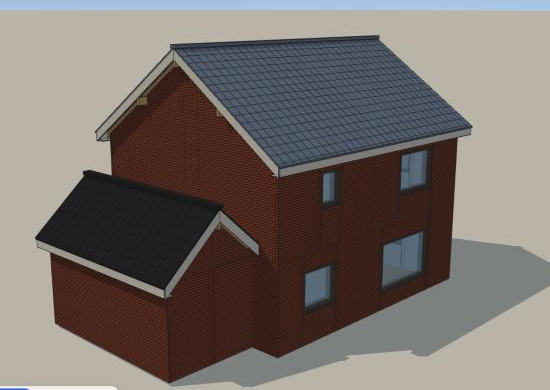
What it does
A Rust engine owns the model and every operation; the browser is the viewport. Everything you can do by hand is also an operation an AI can call.
The tools you know
Line, rectangle, circle, arcs, push/pull, offset, follow-me, move, rotate, scale, groups and components, tape measure, dimensions, section planes and layers.
Brick houses
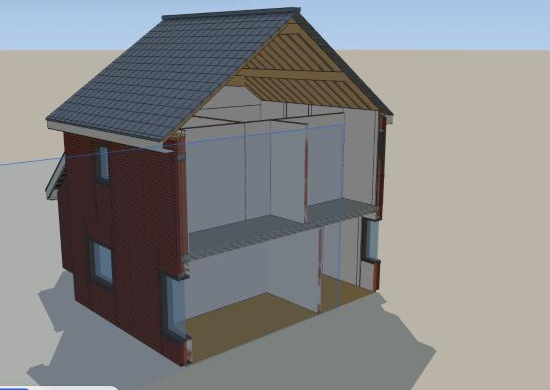
Draw rooms per storey and get cavity walls with leaves, insulation and bond pattern, lintels and sills, beam-and-block floors, U-values and a material takeoff.
Real roof structures
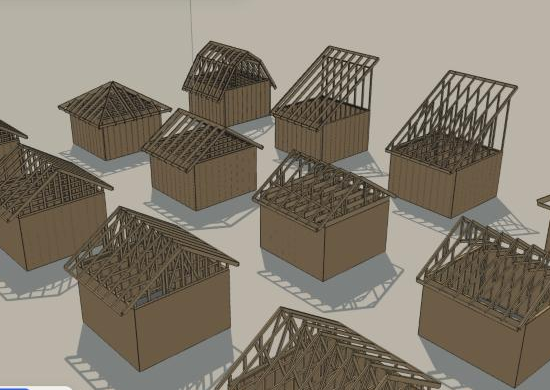
Gable, hip, shed and flat roofs with wall plates, purlins, rafters, battens and tiles, sitting on the walls, with masonry gables in the wall's own build-up.
Timber framing
Framed walls with automatic corner and T details, floors, trusses and rafter roofs, beams, stairs and engineering checks.
Installations
Circuits, sockets, switches and lights with cables in the walls, a distribution board and checks against the Belgian AREI rules.
Model together with an AI
Every tool is exposed over MCP: an assistant can draw, edit, measure, change the camera and take screenshots of what it made.
A look inside
Every picture below is a live model in Plannr.
Run it yourself
On this site your projects are stored on the server and tied to this browser; export them as JSON to keep a copy. For your own work, run Plannr locally: it's one Rust binary and a static frontend.
git clone https://github.com/MatthiasDM/plannr-modeller.git
cd plannr-modeller
cd web && npm install && npm run build && cd ..
cargo run --release -p plannr-server     # http://localhost:8795
Like it?
Plannr is free and open source, built in spare evenings. If it helps you, a coffee on Ko-fi keeps it going.